Right to Repair & EmpCo: Claims and Repairability - Overview
What the two modules cover, which duties sit behind them and how this documentation is structured.
Welcome! Right to Repair & EmpCo: Claims and Repairability gives you a guided workspace for handling defect claims, plus a ready-made info block for your product pages.
This guide is written for shop owners and their teams. You don't need any technical background – every section walks you through one task, step by step.
No legal advice: neither this extension nor this documentation replaces legal advice. All texts that ship with the extension are samples. National implementations of the underlying EU directives may differ. Have your actual configuration and every published text reviewed by a lawyer before you go live.
What the extension covers
The extension covers two areas that work independently of each other. You can switch either one on or off.
- Right to repair – a guided claims workflow: log the defect, tell the customer about their right to choose between repair and replacement, record which remedy was picked, close the case. Every step gets a timestamp, and after a repair the warranty is extended automatically. Default cut-off date: 31 July 2026.
- Product page info (EmpCo) – an info block on your product pages with the repairability score, spare-parts availability, a link to the manufacturer's repair page and a warranty notice. Default cut-off date: 27 September 2026.
Both cut-off dates are just defaults. You can change them per sales channel once you know how the directives are implemented in your market.
What runs automatically once it's set up
The point of the extension is that you configure it once and then mostly stop thinking about it:
- Eligibility is decided for you: the extension compares the order date with your cut-off date and marks each claim as covered by the obligations or as voluntary.
- The warranty extension – one time, +12 months per line item – is applied automatically when you mark a repair as done.
- Customer emails go out on the workflow steps, using templates you can edit.
- Reminders point you at claims that have been sitting untouched for too long.
- Every step is logged – action, old status, new status, extra details – so you have a complete history without typing anything.
- The product page block only appears once the cut-off date has passed and you've actually maintained data for that product. Until then your product pages look exactly as they do today, so you can prepare in peace.
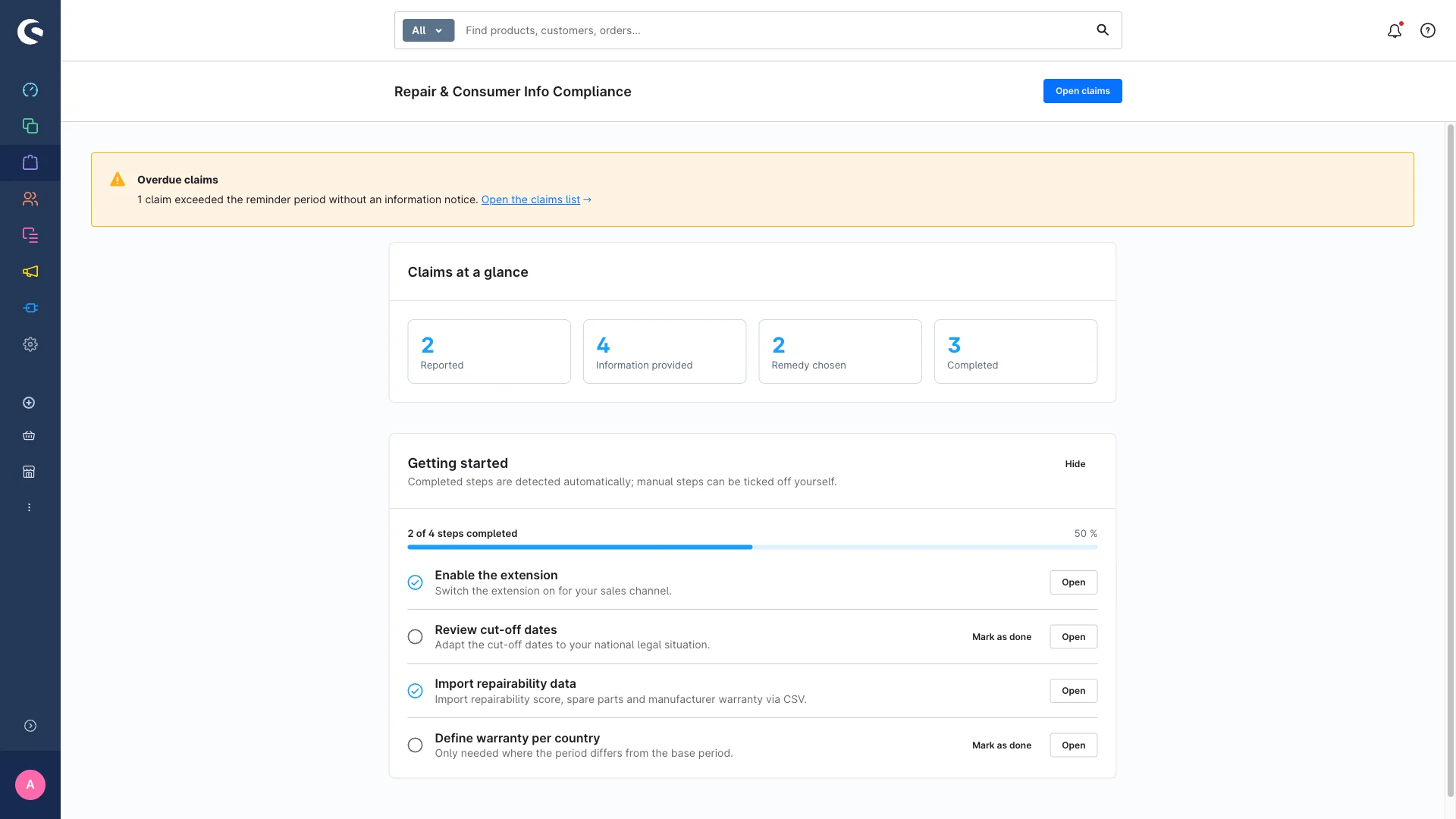
Where to find it in the administration
After you install and activate it, the workspace lives under Orders → Claims in the admin menu. There is deliberately no extra top-level menu entry.
It has four pages: Overview (getting-started checklist and key figures), Claims (list and board), Data & import and Settings.
Out of the box the extension is switched off for every sales channel. Nothing changes in your shop until you turn it on – so you can install it early and set it up at your own pace.
What stays your job
The extension organises and documents. It does not decide for you:
- You actually handle the claim – repair, replacement, communication.
- You check the wording of the sample texts and adjust them to your business.
- You maintain correct, verifiable product data. The extension displays what you enter; it does not verify it.
- You set the cut-off dates that match the implementation in your market.
How to best get started
We recommend working through this guide in this order:
- Getting started – install, activate per sales channel and run through the checklist.
- Configuration – every setting explained, plus warranty durations per country.
- Managing claims – one claim from start to finish.
- Kanban board – move claims by drag and drop, filter and search.
- Notifications & log – emails, reminders, Flow Builder and the activity log.
- Customer account & storefront – what your customers see and do themselves.
- Product page (EmpCo) – the repair and warranty block on your product pages.
- Import & export – handle claims and product data in bulk via CSV.
- User permissions – who on your team may do what.
- Legal background – which EU rules sit behind all this.
- FAQ – quick answers, glossary and troubleshooting.
Let's start with getting started.