
Pitching Set
Panoramic App Store Screenshots
Last updated:
In a panorama, an object runs over the edges of several images, so it continues into the next image when people swipe in the App Store. You design panoramic App Store screenshots in the editor's Panorama view, from two images up.
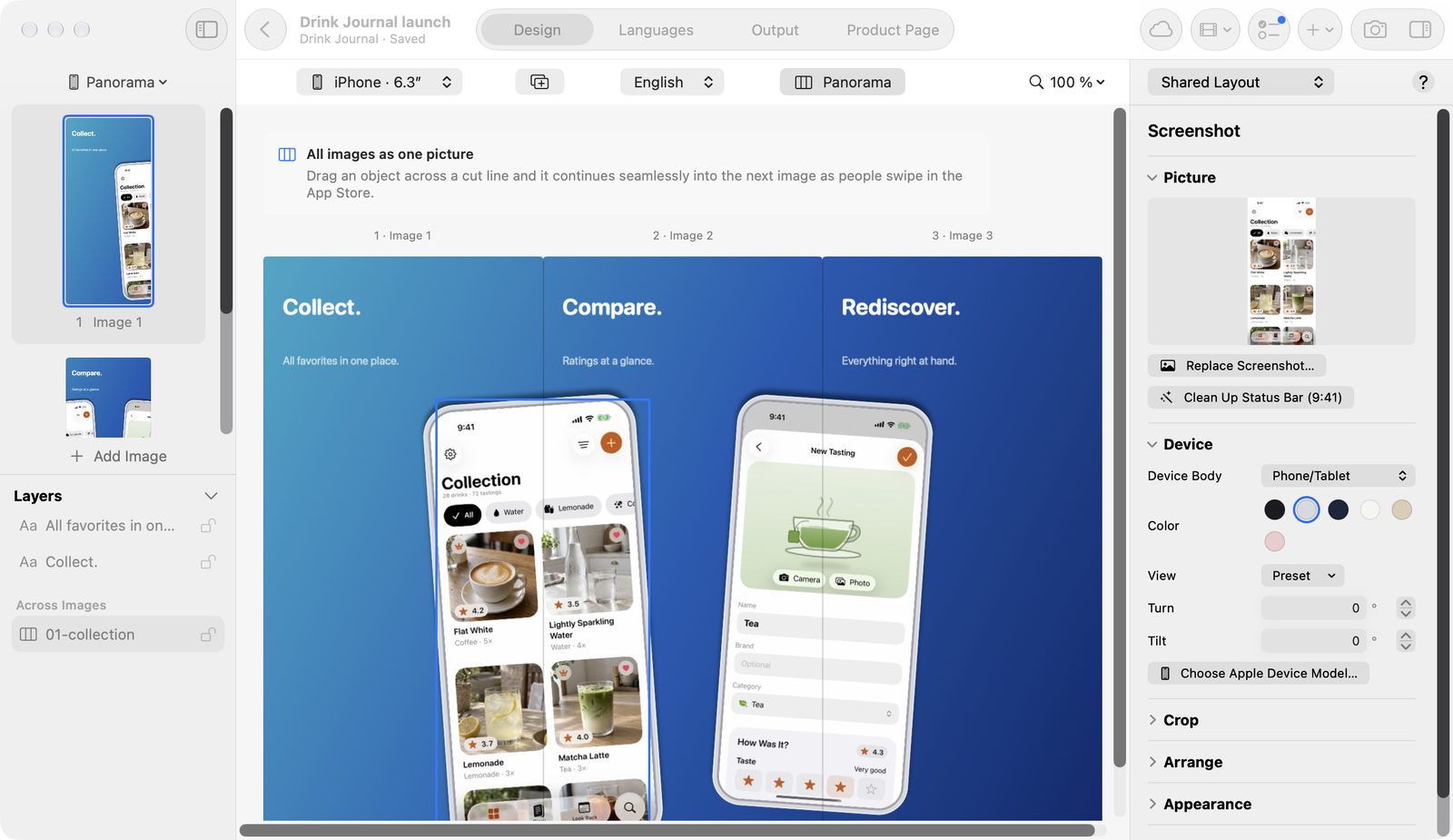
Turn on Panorama
Above the canvas, turn on Panorama. All images then stand side by side, with their number and name above them. The card All images as one picture explains the view until an object runs across several images.
Run an object across several images
An object spans images as soon as it lies over a cut line.
- Turn on Panorama.
- Drag the object over a cut line.
- Once it lies entirely on one image again, it belongs only to that image.
Alternatively, select an object and choose Insert → Continue Across Images.
In the sidebar, these objects have their own section, Across Images. They keep their place when you reorder images. Texts that span images appear in the Languages view with the image their center lies on.
Continuous gradient
A palette you choose in the Panorama view runs as one gradient across the whole set. The picture then has no break at the edges.
Panorama templates
| Template | Structure | Images |
|---|---|---|
| Panorama | One picture across all images | 3 |
| Panorama Devices | Devices over the image edges | 3 |
| Panorama Wave | Changing rhythm with shapes | 3 |
| Panorama Giant | One large device across three images | 3 |
| Panorama Chain | Four images, a device on every edge | 4 |
| Panorama Story (ready-made set) | One device travels across four images | 4 |
You find them in the gallery under the Category Panorama.
Output
A panorama exports as one PNG per image, like any other set. The App Store shows them side by side when they're in the right order. Check the result with Present Set (⌥⌘P).
Free and Pro
The Panorama view and running objects across images are free. The five panorama templates and the ready-made set Panorama Story need Pro. Exporting follows the same rules as everywhere: required formats in the source language are free, the rest needs Pro.