
Pitching Set
App Store Screenshot Templates
Last updated:
Here you choose an App Store screenshot template or a ready-made set for a new project or a new set. Every template adapts to the page shape: phone portrait, iPad portrait, landscape, banner, and Mac with a notebook body. That gives your App Store screenshot design a consistent start.
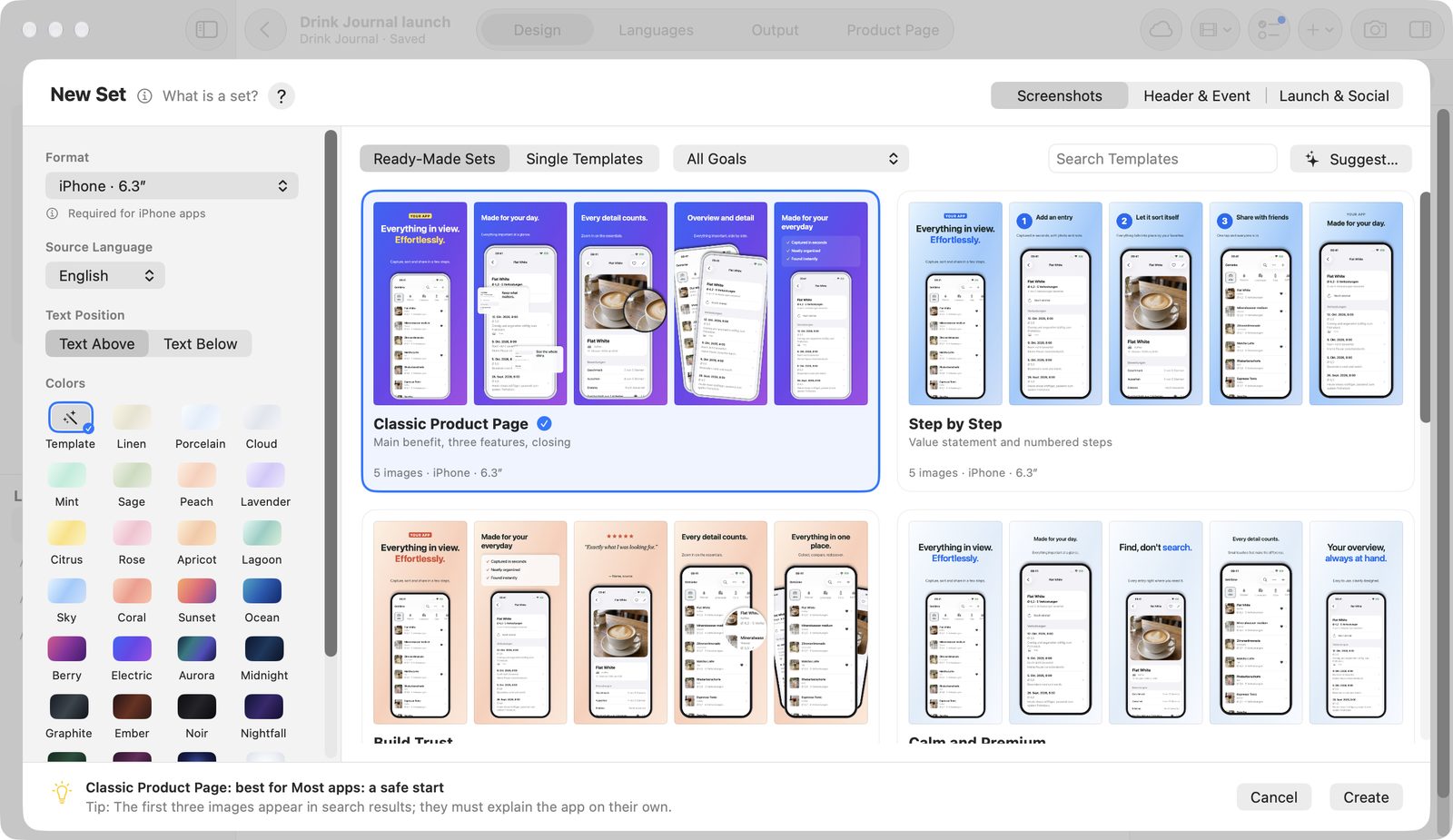
Use the template gallery
- Click New Project (⌘N) or New Set (⇧⌘N).
- Choose the kind of output: Screenshots, Header & Event, or Launch & Social.
- For a new project, enter a name under Project Name.
- Choose Format, Source Language, and Colors. For templates that support it, also choose Text Position: Text Above or Text Below.
- Click a card, then Create. A double-click creates right away.
The Format field names Apple's requirement, such as “Required for iPhone apps”. Source Language offers six languages for the sample texts; the default follows your system language.
Filters and search
| Filter | Options |
|---|---|
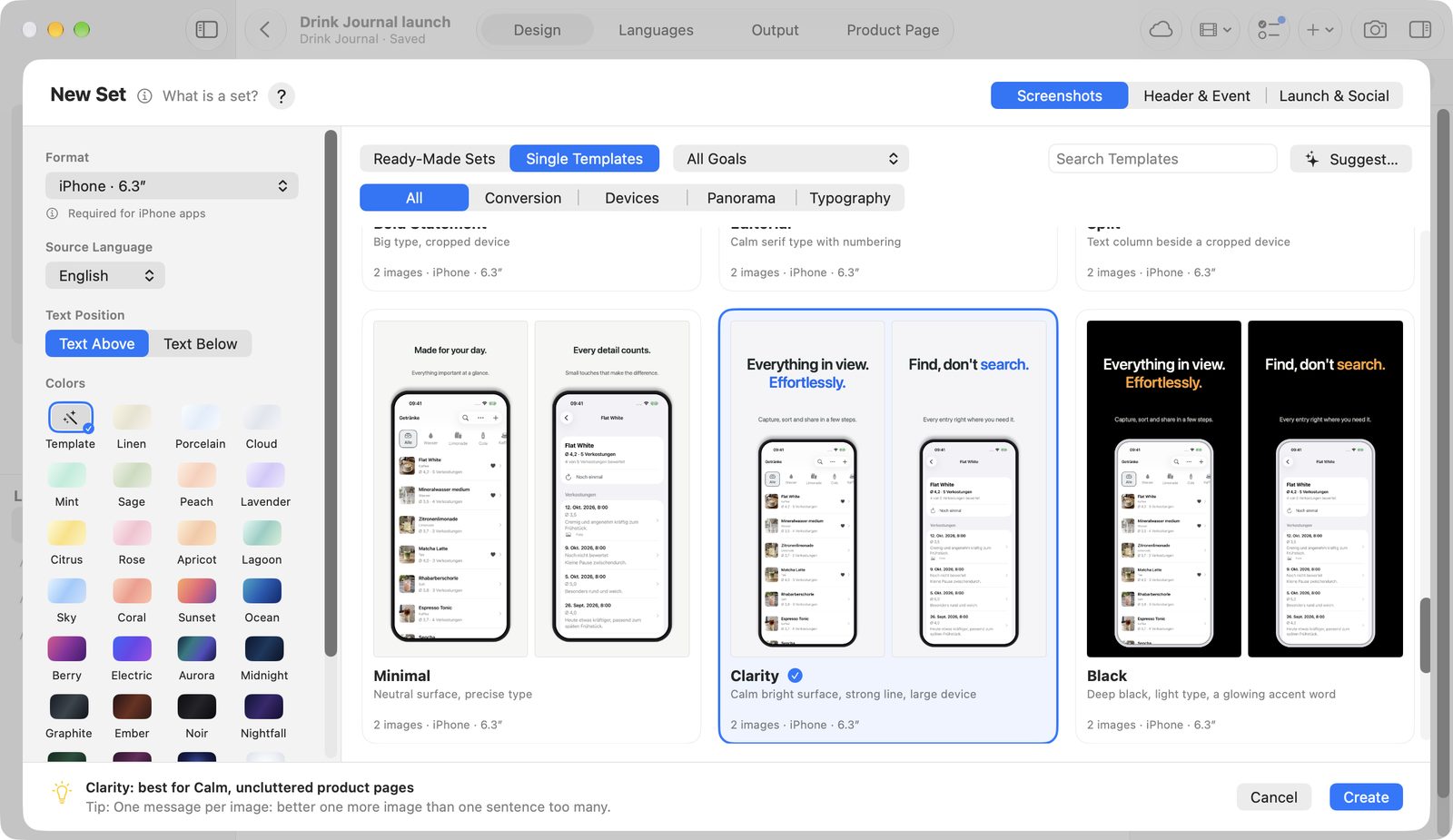
| Kind | Ready-Made Sets or Single Templates |
| Category | All, Conversion, Devices, Panorama, Typography |
| Goal | Win the first impression, Explain features, Build trust, Look premium, Tell a story, Show several views, Announce news, or All Goals |
Search Templates searches the names. The arrow keys move between cards, and hovering shows a preview.
Each template has brief advice: what it suits best, a tip, its strength, and its goals.
Have a template suggested
The template advisor suggests a suitable set and palette. It needs Pro and Apple Intelligence.
- Click Suggest….
- Answer What is your app about?.
- Click Suggest.
- Take the suggestion with Choose, or ask again with Suggest Again.
Pitching Set remembers the app description.
Screenshot templates
| Template | Category | Images | Free |
|---|---|---|---|
| Value Hero | Conversion | 2 | yes |
| Benefits | Conversion | 2 | yes |
| Testimonial | Conversion | 2 | Pro |
| Feature Cards | Conversion | 3 | yes |
| Steps | Conversion | 3 | Pro |
| Duo | Devices | 2 | Pro |
| Fan | Devices | 2 | Pro |
| Perspective | Devices | 2 | Pro |
| Spotlight | Devices | 2 | Pro |
| Stage | Devices | 2 | Pro |
| Focus | Devices | 2 | yes |
| Clarity | Devices | 2 | yes |
| Black | Devices | 2 | Pro |
| Glass | Devices | 2 | Pro |
| Before/After | Devices | 2 | Pro |
| Panorama | Panorama | 3 | Pro |
| Panorama Devices | Panorama | 3 | Pro |
| Panorama Giant | Panorama | 3 | Pro |
| Panorama Wave | Panorama | 3 | Pro |
| Panorama Chain | Panorama | 4 | Pro |
| Bold Statement | Typography | 2 | yes |
| Editorial | Typography | 2 | yes |
| Split | Typography | 2 | yes |
| Minimal | Typography | 2 | yes |
Templates with card or magnifier cut-outs fill the matching detail areas when you add the main screenshot.
Header, event, and launch
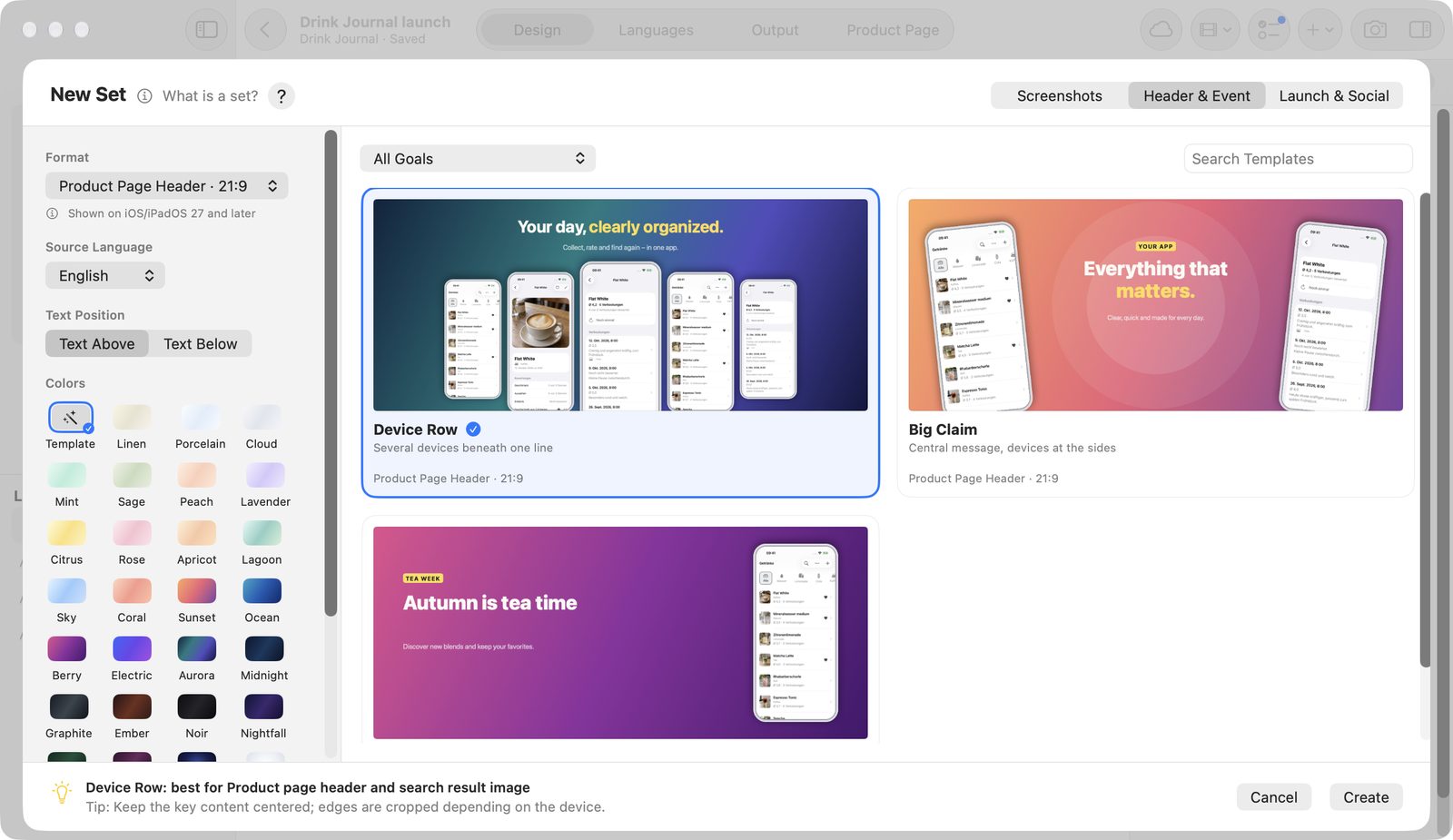
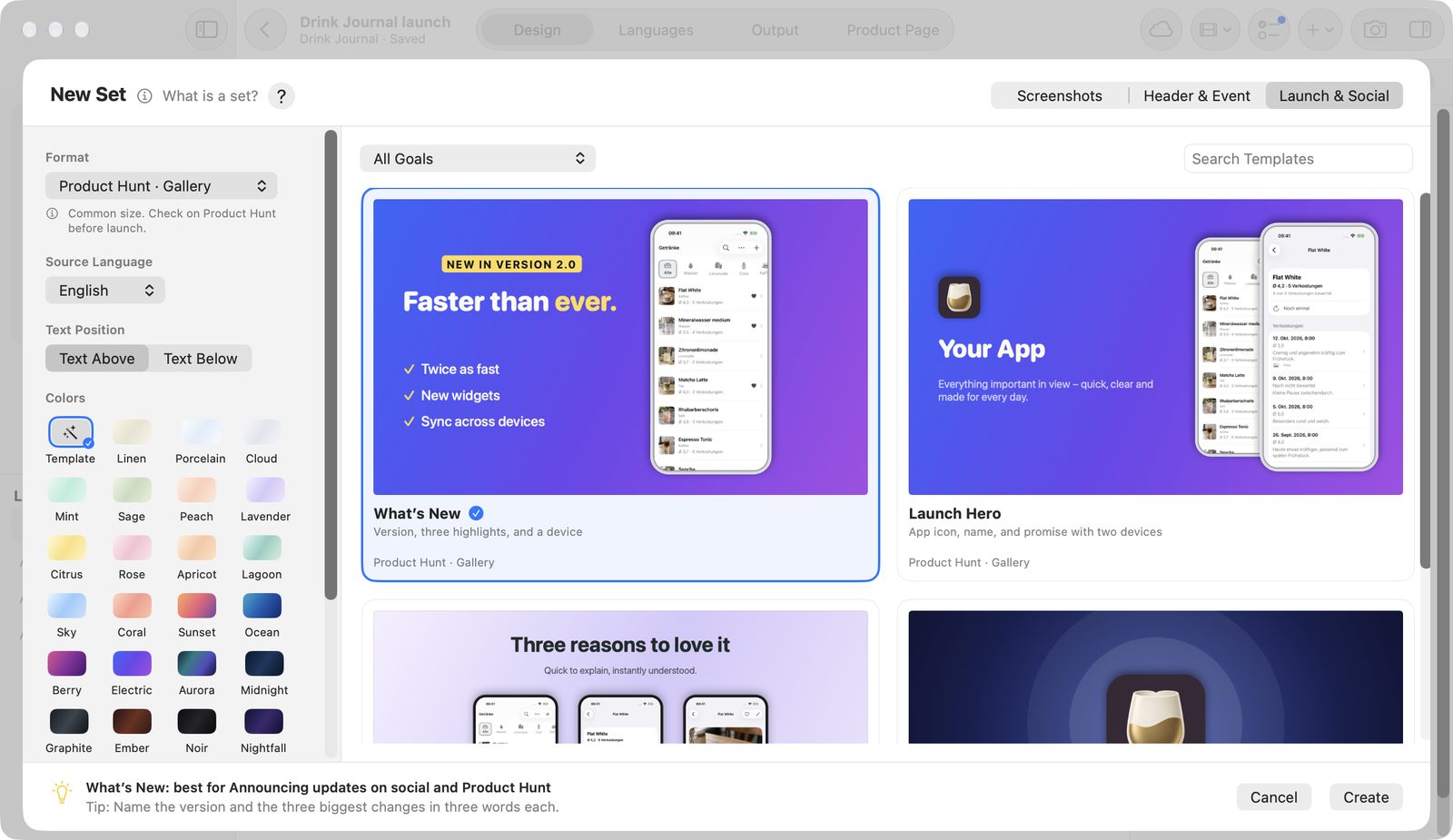
You can design these templates for free. Exporting their formats needs Pro.
| Kind | Templates |
|---|---|
| Header & Event | Device Row, Big Claim, In-App Event |
| Launch & Social | Launch Hero, Three Highlights, Logo & Name (with an app icon field), What’s New |
Apple Watch uses the Watch Screen template; Apple TV and Vision Pro use Full Screen. Both are borderless and free to design.
Templates work only within the same kind. The gallery offers only what suits each format:
Phone · 9:16gets no Testimonial template and no ready-made sets.Banner · 1024 × 500gets only Big Claim, Launch Hero, and Three Highlights.Product Hunt · Logooffers no What’s New template.
For formats for other stores, the gallery notes: export as PNG without transparency, and ratings, rankings, and prices don't belong in the image.
Ready-made sets
A ready-made set mixes templates in a fixed order and names each image after its job, such as “1 · Main benefit”.
| Set | Structure | Images | Free |
|---|---|---|---|
| Classic Product Page | Main benefit, three features, closing | 5 | yes |
| Step by Step | Value hero and numbered steps | 5 | Pro |
| Build Trust | Benefit, advantages, a real voice, detail | 5 | Pro |
| Calm and Premium | Lots of white space, one message per image | 5 | yes |
| Dark and Refined | Deep colors and glowing accents | 5 | Pro |
| Modern Glass | Glass cards, comparison, and two views | 5 | Pro |
| Panorama Story | One device travels across four images | 4 | Pro |
Palettes
The Colors field offers Template for the template's own colors, 27 palettes, and your own.
| Group | Palettes |
|---|---|
| Light | Linen, Porcelain, Cloud, Mint, Sage, Peach, Lavender, Citrus, Rose, Spotlight |
| Vivid | Apricot, Lagoon, Sky, Coral, Sunset, Ocean, Berry, Electric, Aurora |
| Dark | Midnight, Graphite, Ember, Noir, Nightfall, Forest, Plum, Glow |
Glow and Spotlight are radial. Create your own palettes with From Image… from an app icon or screenshot (up to 24 per Mac). They're available in every project and in the gallery. See Editor for more.
Sample texts
Templates come with sample texts in German, English, French, Spanish, Italian, and Japanese. They are placeholders and haven't been checked by native speakers. Replace them with your own texts before exporting.
Free and Pro
These are free:
- nine screenshot templates: Value Hero, Benefits, Feature Cards, Focus, Bold Statement, Editorial, Split, Minimal, Clarity
- the ready-made sets Classic Product Page and Calm and Premium
- the templates for Watch, TV, and Vision
- all header, event, and launch templates for designing
All other templates and sets carry PRO. For them, Create opens the purchase page. The template advisor needs Pro as well.